Knowledge Base
How do I change the carrier boosted by a CEL-FI GO G41 or GO G32?
Nextivity’s CEL-FI GO G41 cell signal booster (and the now-discontinued model GO G32) amplify the signal from one cellular carrier at a time.
You can change the carrier the booster amplifies using the Nextivity WAVE smartphone app:
1. Make sure your CEL-FI GO G41 or GO 32 booster is powered on.
2. Launch the WAVE app and wait for it to connect to your GO booster.
3. Tap Settings at the bottom of the screen.
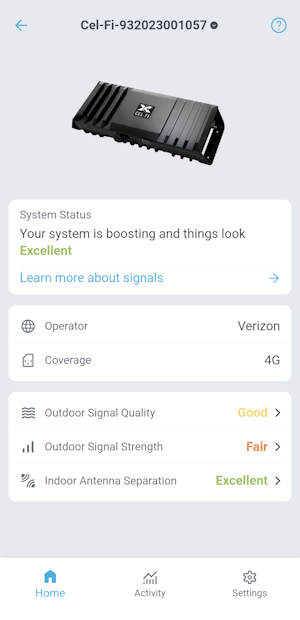
4. Tap Operator at the top of the Settings screen.
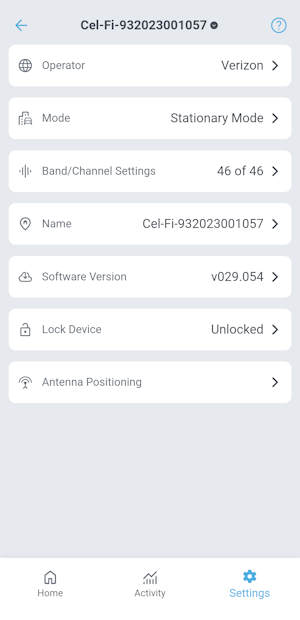
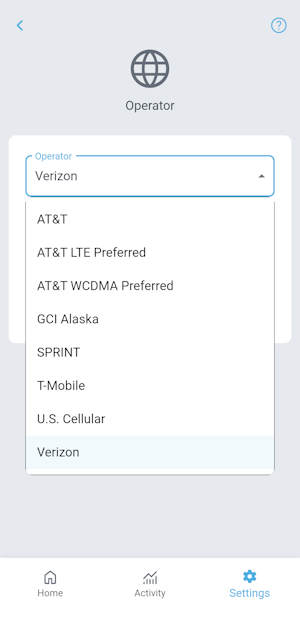
5. Tap the Operator dropdown
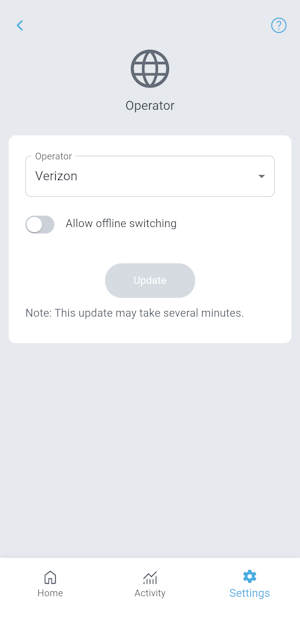
6. Choose your preferred cellular carrier and tap the Update button.
The update process may take several minutes.
When the update is complete, your CEL-FI booster will reboot and connect to the new carrier (if signal from that carrier is available in your location).